Agreements
Agreement templates
Agreement templates form an important part of how Artistu handles contracting for your agency. In the template you define a structure with variables that will be replaced with the actual values of the booking when an agreement is created.
Looking for shared templates?
If you want to use a single agreement template for multiple artists, check out our documentation on Shared templates.
Creating an agreement template from scratch
Agreement templates belong to artists and are created by visiting
Artists > Artist > Agreement templates
Use a different template per language
Artists can have an unlimited number of agreement templates, we recommend creating a template for every different language you want to support.
Click on Create new template to create a new agreement template.

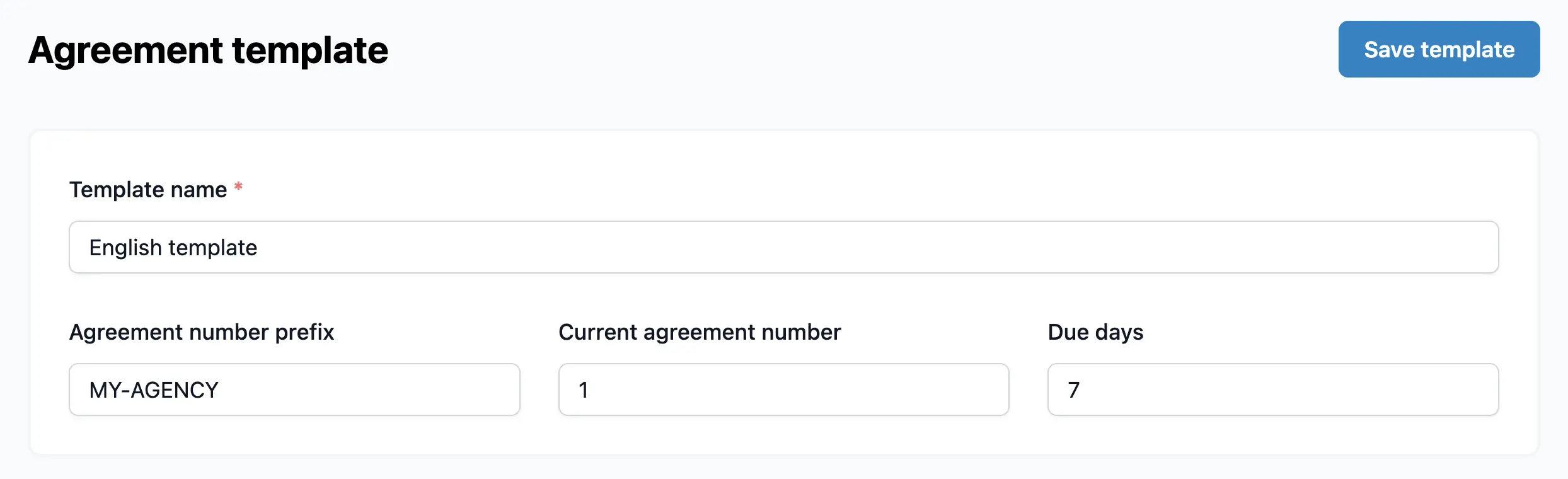
General settings
Give you template a name, e.g. English template.
You can also set a prefix for this template. This prefix will be added to the beginning of the agreement file name. E.g. MY-AGENCY-2025-1001
The current agreement number will be automatically incremented when you create a new agreement from this template.
Template variables
The basis of how agreement templating work in Artistu is through the use of variables. Variables are placeholders that will be replaced with the actual values of the booking when an agreement is created.
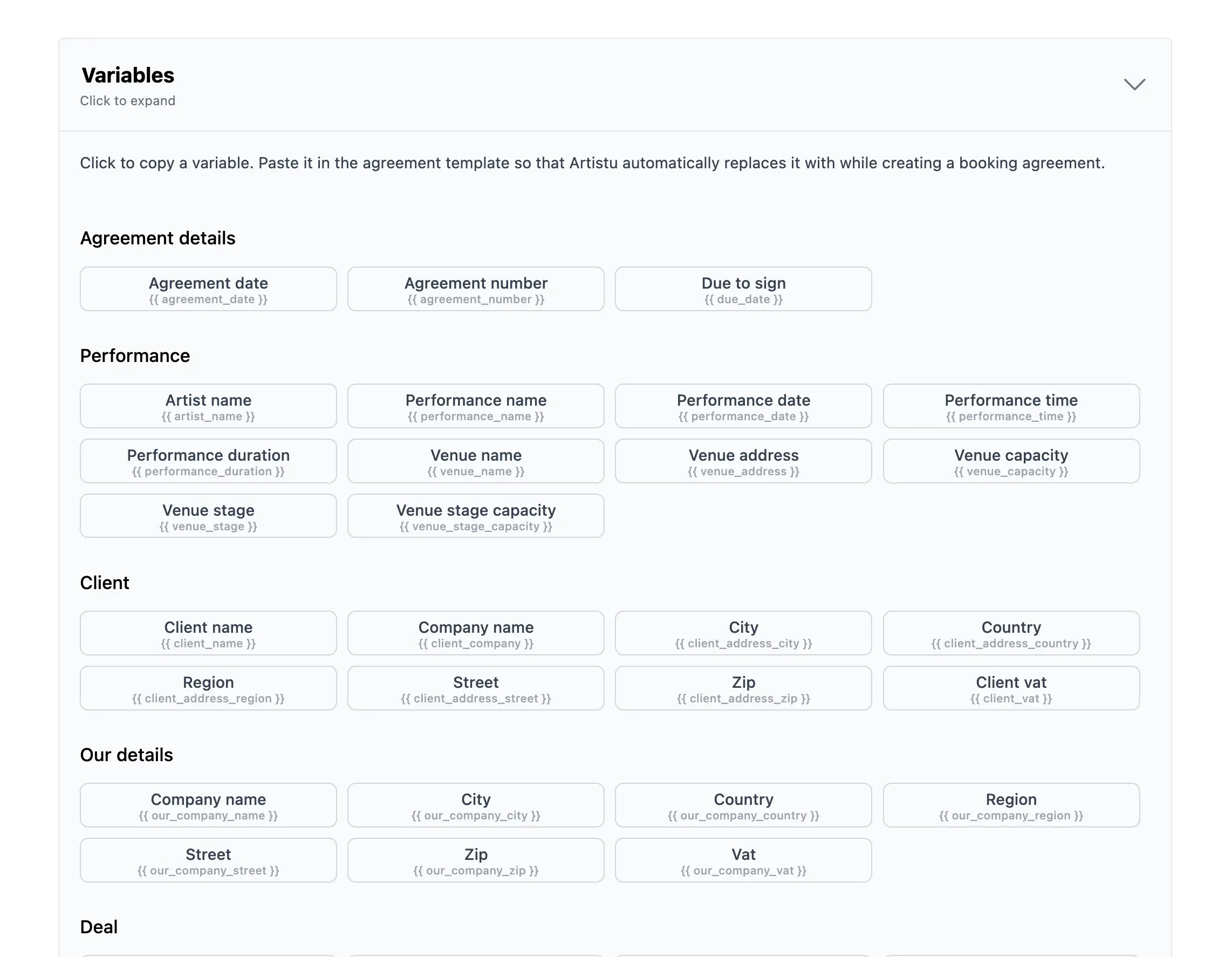
Let's say we want to add the name of the performance to the agreement. We can do this by adding a variable named "{{ performance_name }}" to the template.

Click on a variable to copy it
You can simply copy a variable by clicking on it. This will copy the variable to your clipboard so you can paste it into the template.
Creating more complicated templates
The Artistu agreement template editor is powerful and has options for creating complex templates.
Let's take a look at an example of a more elaborate template:
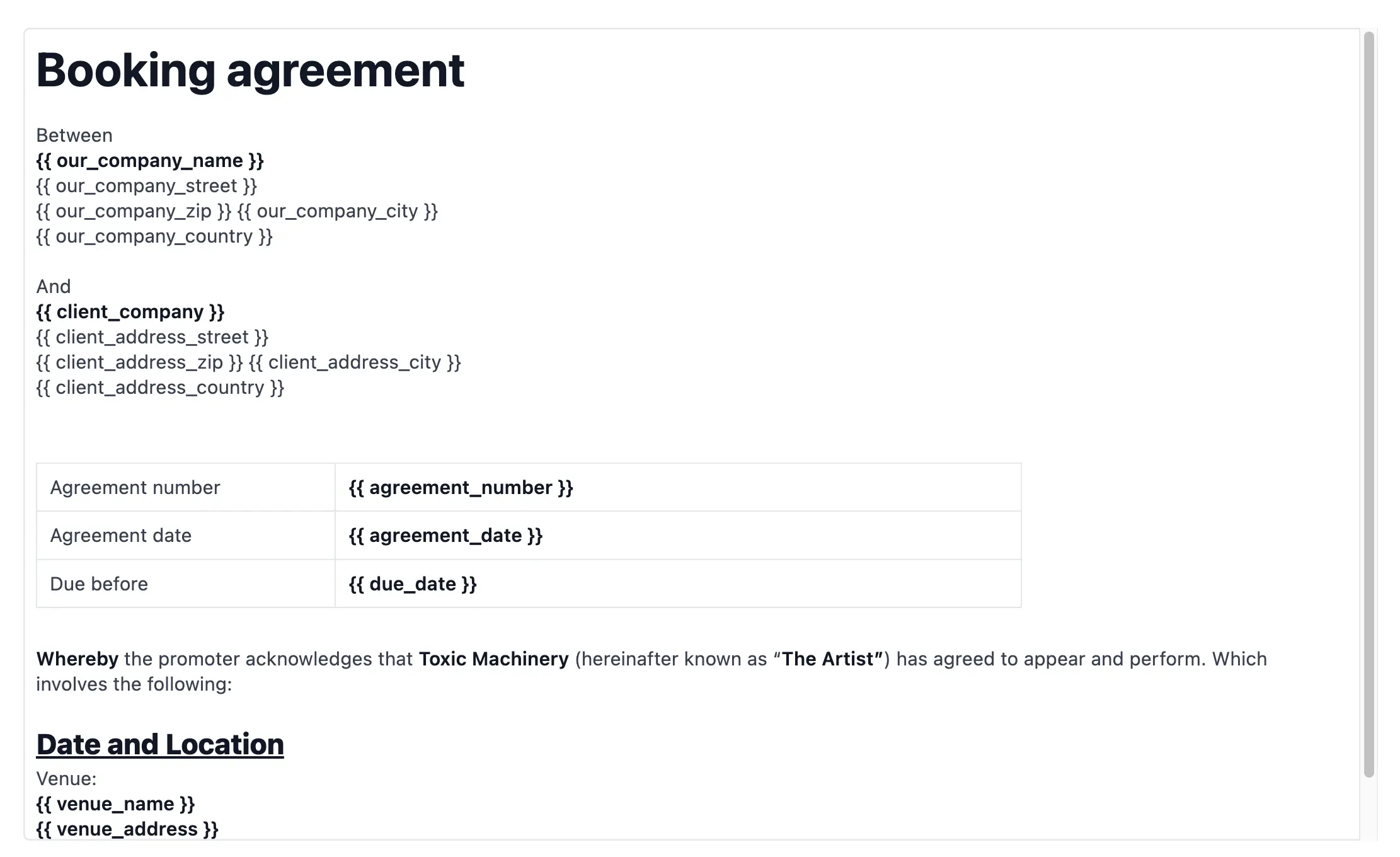
As you can see there are possibilities for adding different text styles, tables and more. Allowing for a lot of flexibility when it comes to creating agreements.
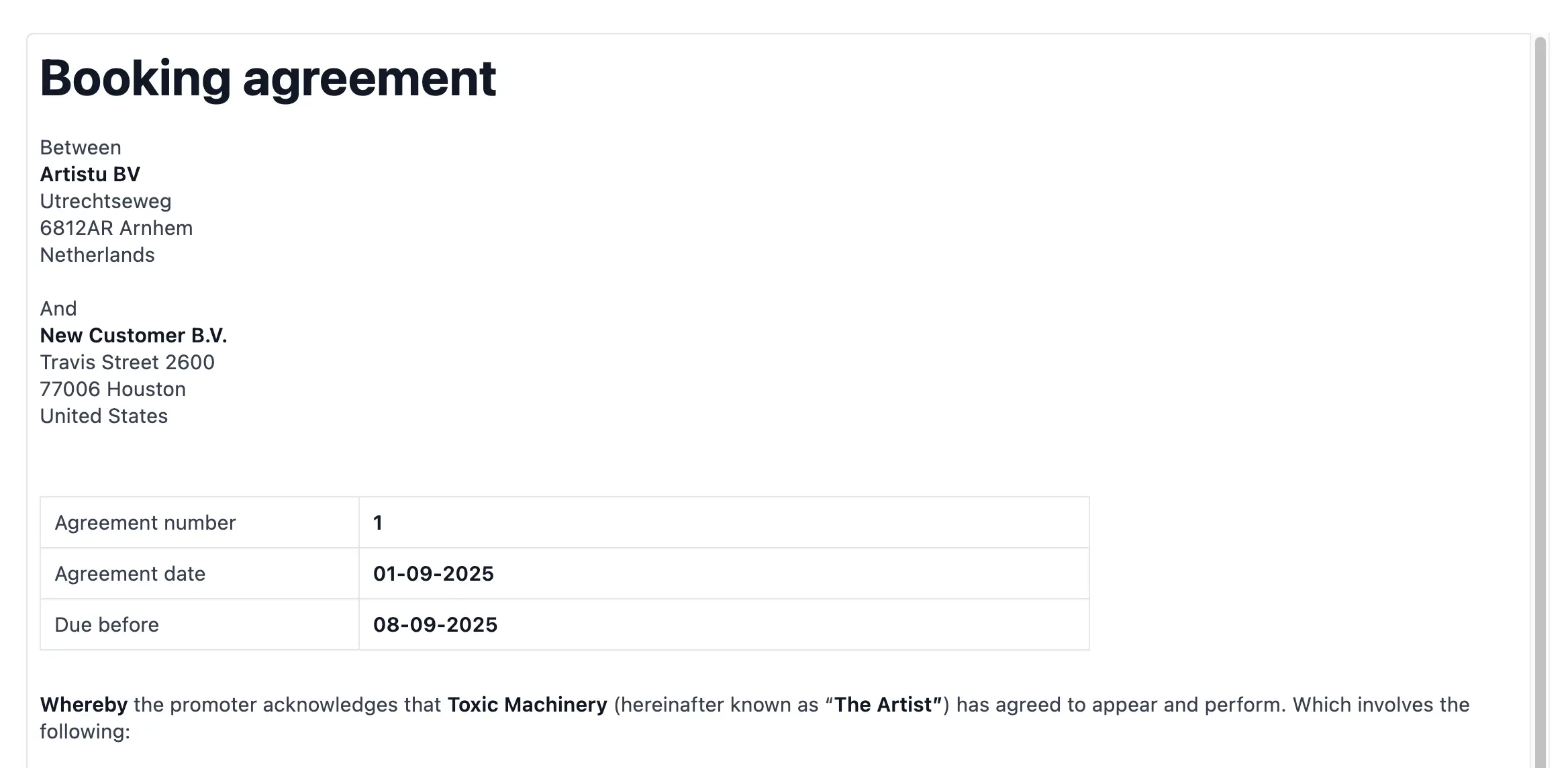
Now let's take a look at how this template looks when it is populated with data.
Using your existing agreement template
In the modern day of LLM's like ChatGPT it is easy to create templates Artistu can understand from your existing agreement templates.
Let's start by copying all the available variables Artistu understands by clicking on the "Copy variables for LLM's" button.
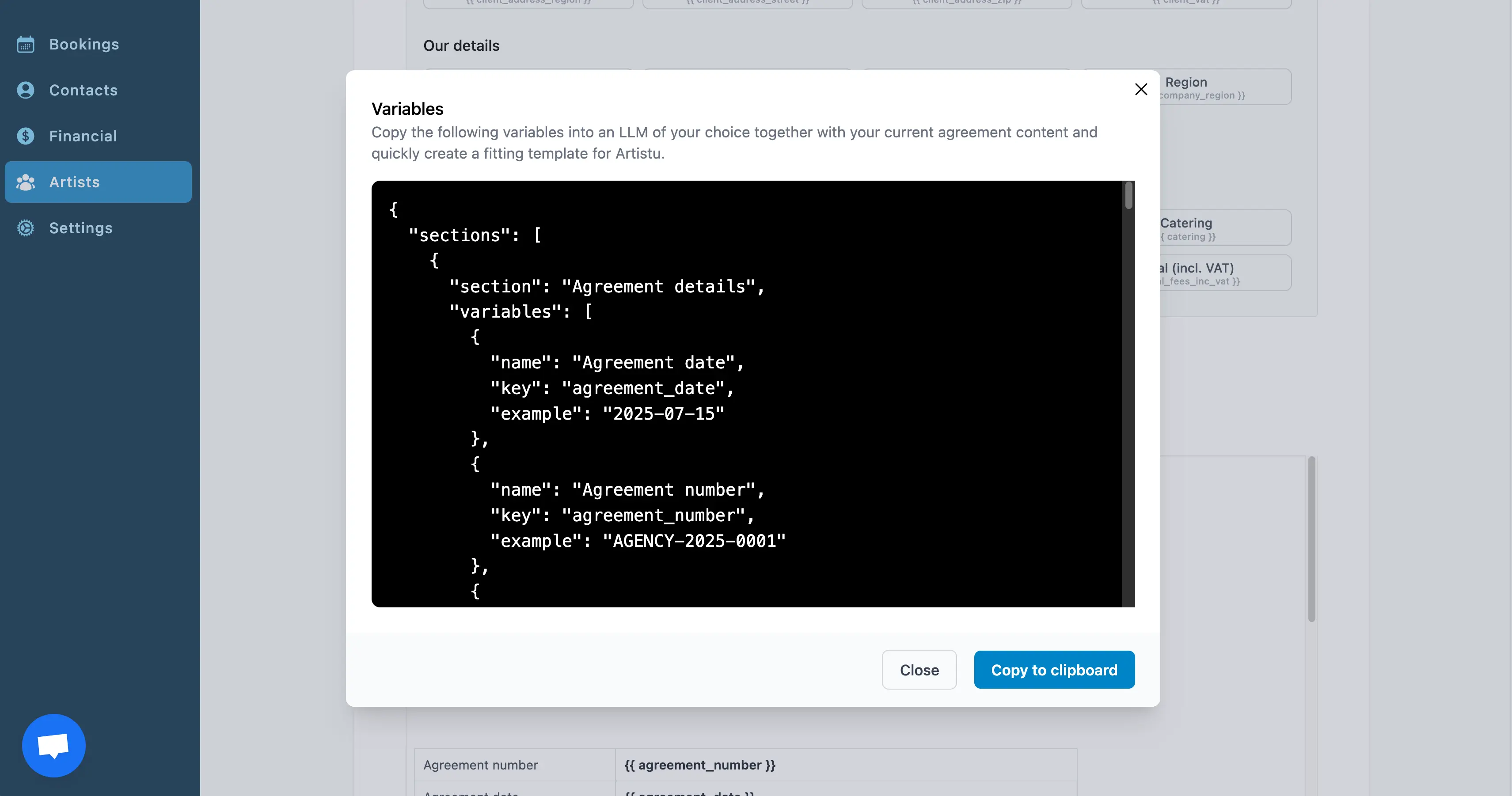
Now head over to your LLM and paste the code generated by Artistu.
Now attach your agreement template to the LLM.
Then we recommend using the following prompt to create a new agreement from the template.
Create a new agreement template in rich text format based on the provided
variables and using my existing agreement template.
Now you can paste the code generated by the LLM in Artistu and you are all set!
Conclusion
Now that you have created an agreement template, it is time to start creating agreements from it.