Bookings
Booking deal section
This guide will show you how to manage different kinds of deals for your agency bookings in Artistu.
Deal page
The deal section is an important aspect for later steps such as creating invoices and agreements.
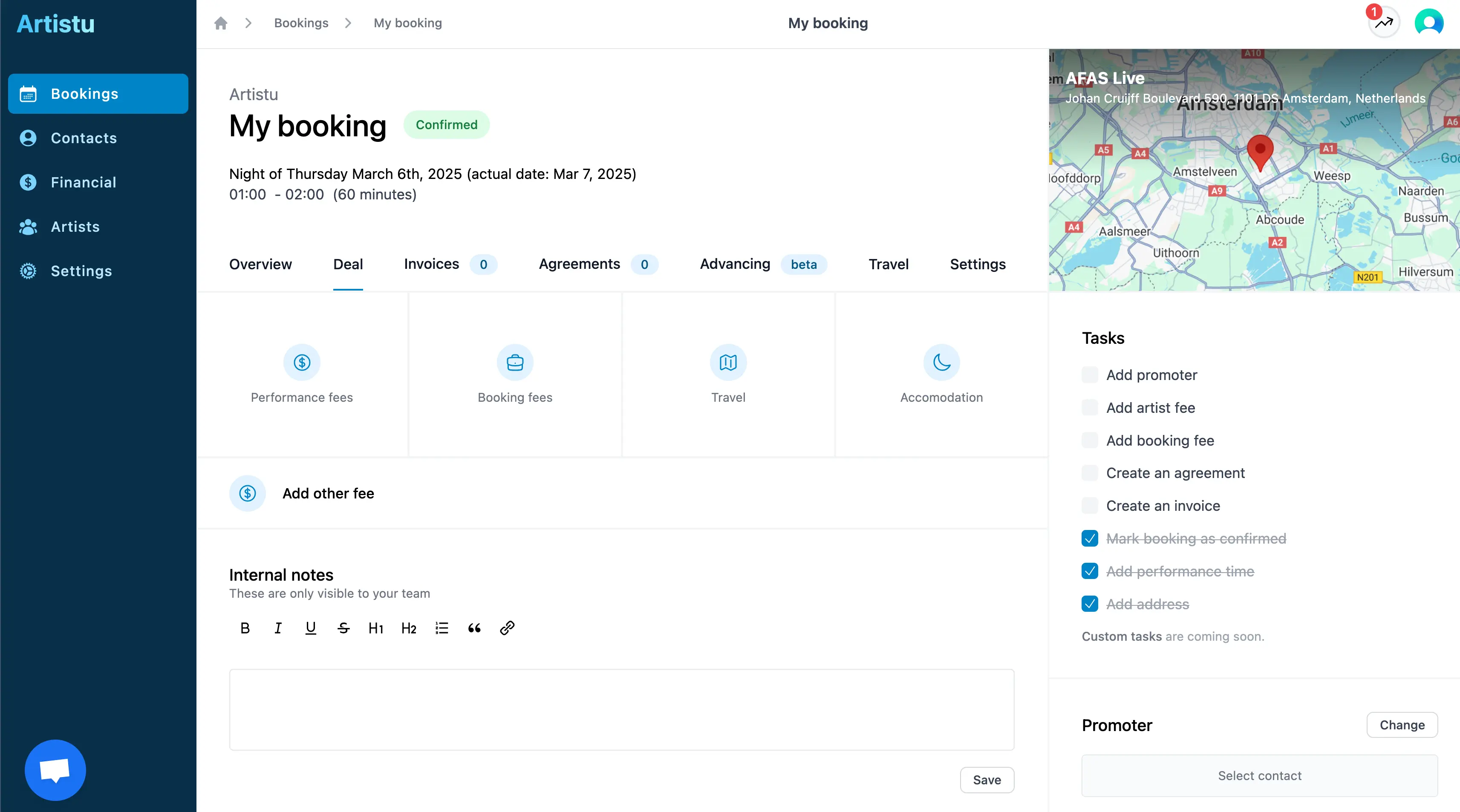
From your booking details screen, click on the "deal" tab to access the deal section.
Speed up your workflow
You can set up Deal templates for your artists to automatically populate these fields with default values.
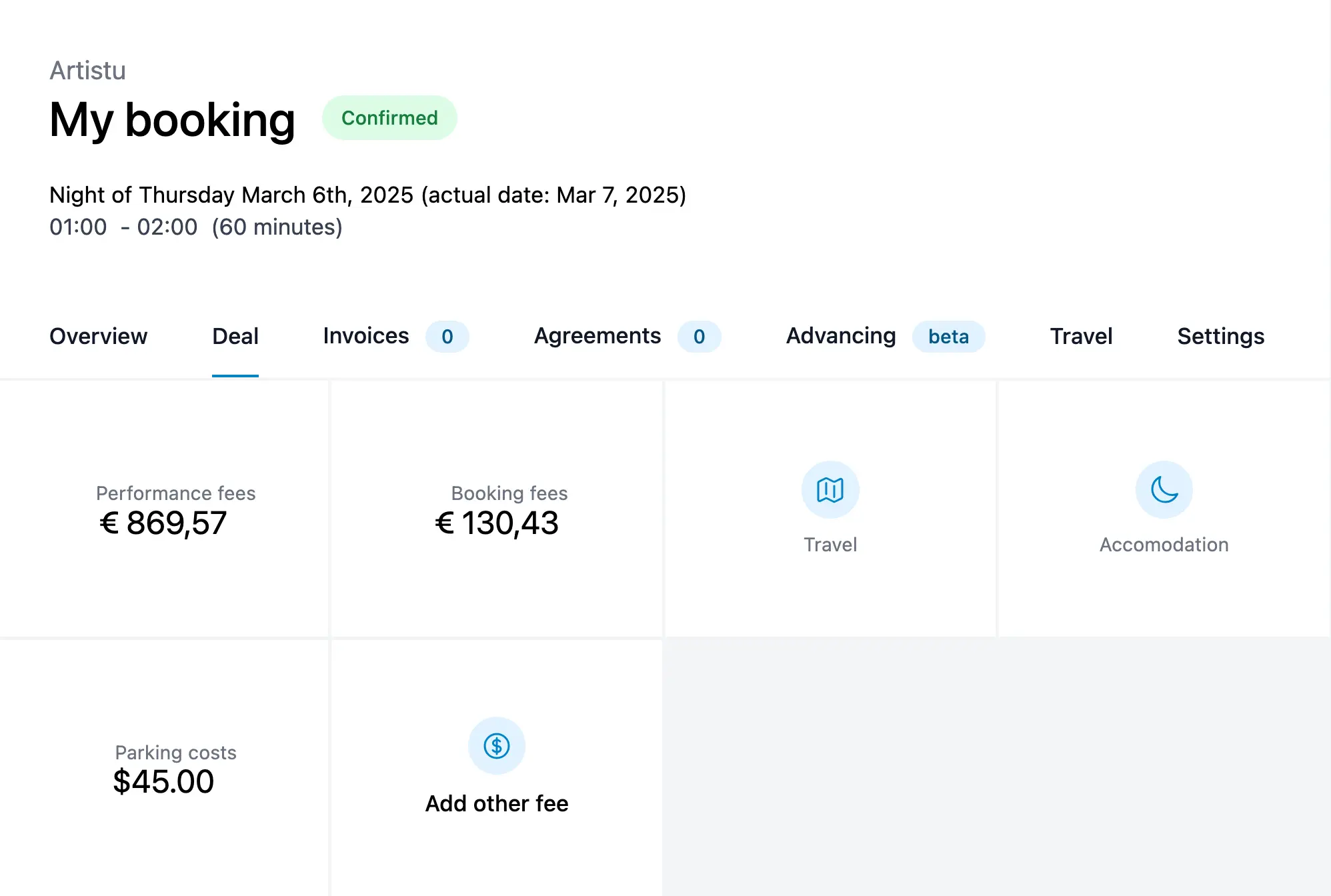
Artistu presents you with several large standard options that most bookings will have. These are:
- Performance fees
- Booking fees
- Travel
- Accommodation
- Other fees
Adding a performance fee
Click on the big square to add a performance fee. You will be presented with a modal to add the details of the fee.
VAT percentage
Artistu will automatically infer the VAT percentage based on the artist you have added to the booking.
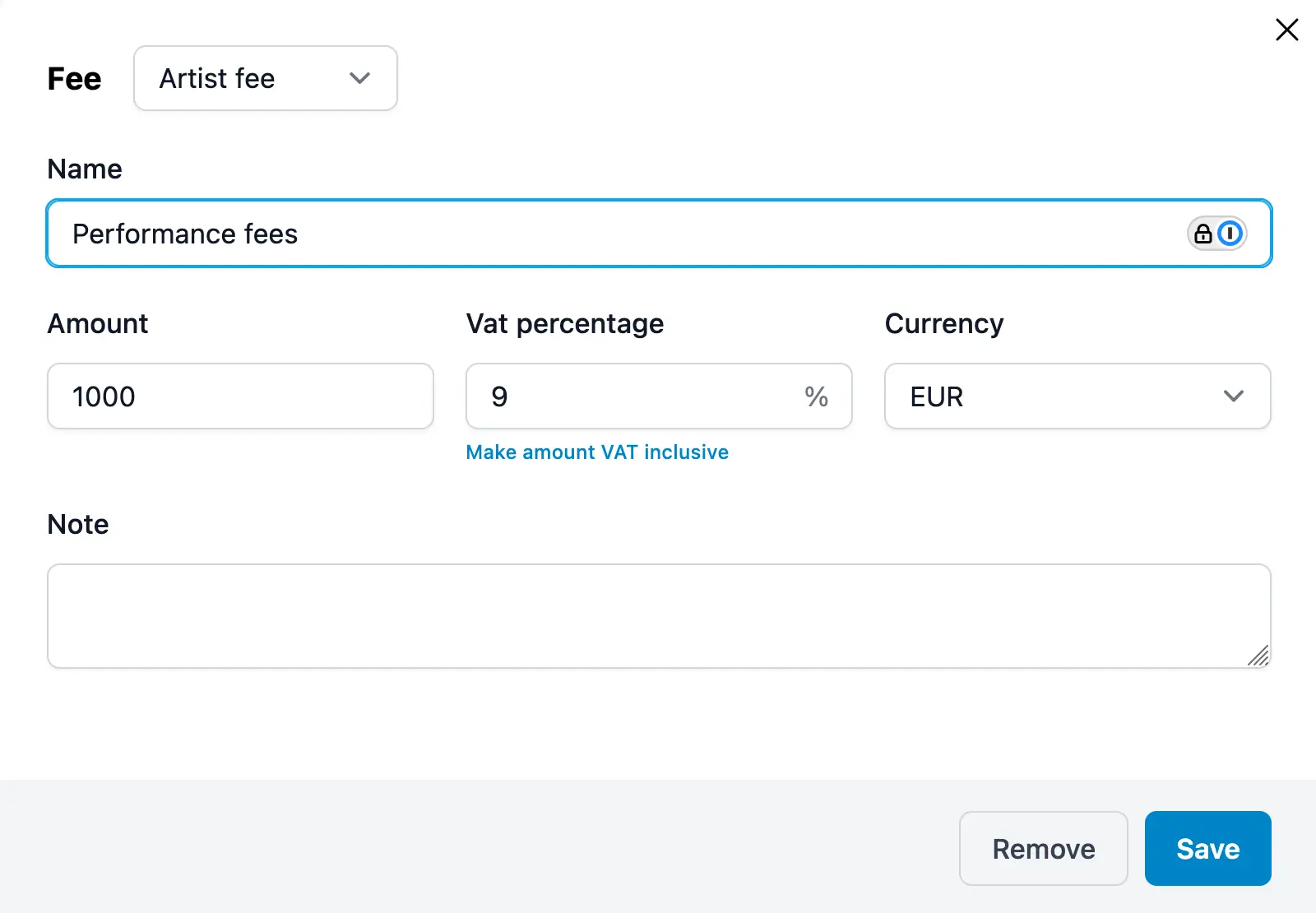
Artistu will fill in most of the important information for you, your main action is to update the "Amount" field with the amount of the fee.
Adding a booking fee
The booking fee is a fee that agencies can use if they want to charge a fee for the booking of the artist. This fee can either be inclusive or exclusive.
Exclusive booking fee
In countries like the Netherlands, the booking fee is usually exclusive. This means that your customer will pay the full amount of the performance fee plus an edditional booking fee.
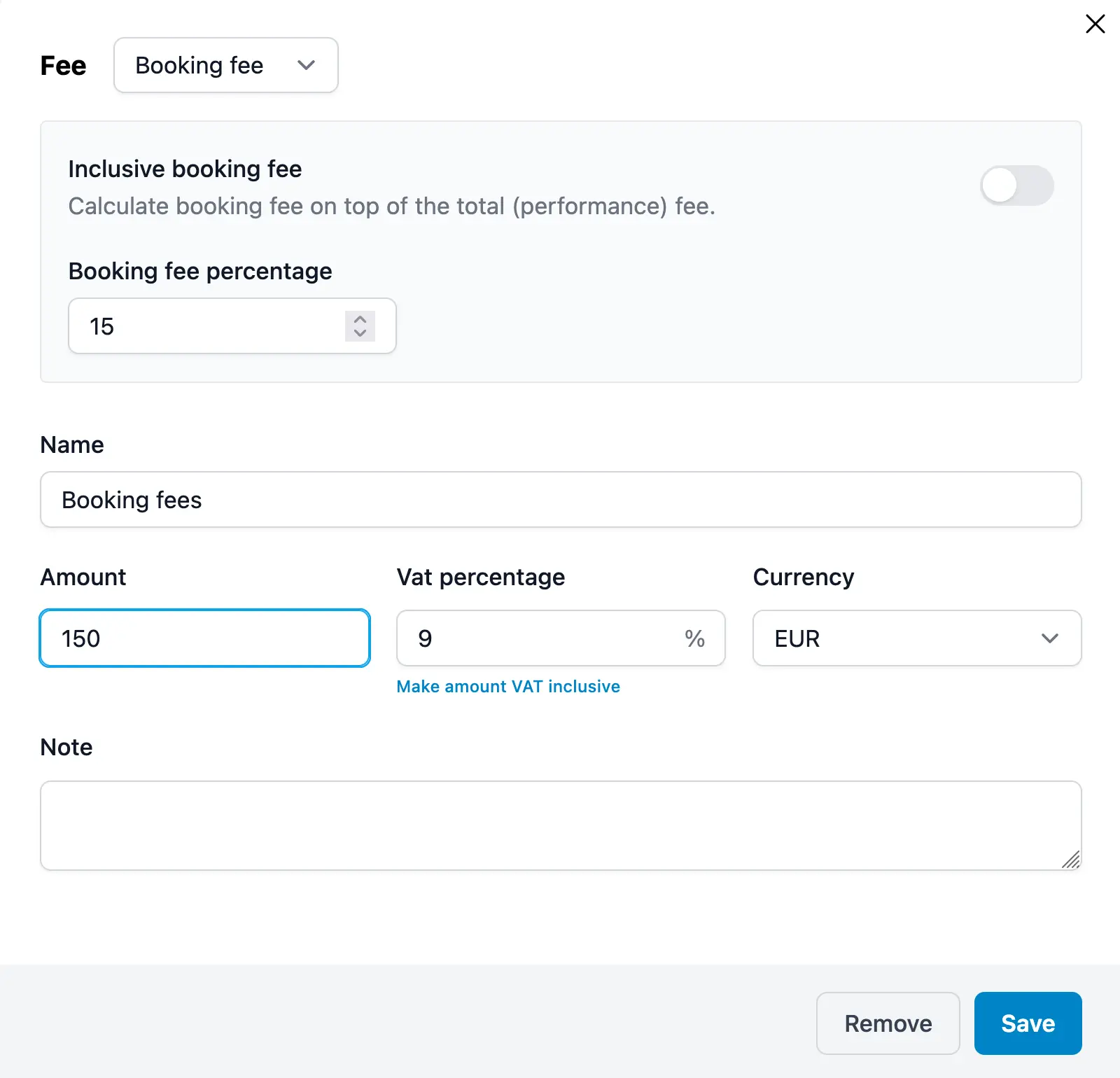
Artistu will automatically calculate the amount of booking fee based on the performance fee and the percentage of the booking fee set on the bookings' artist.
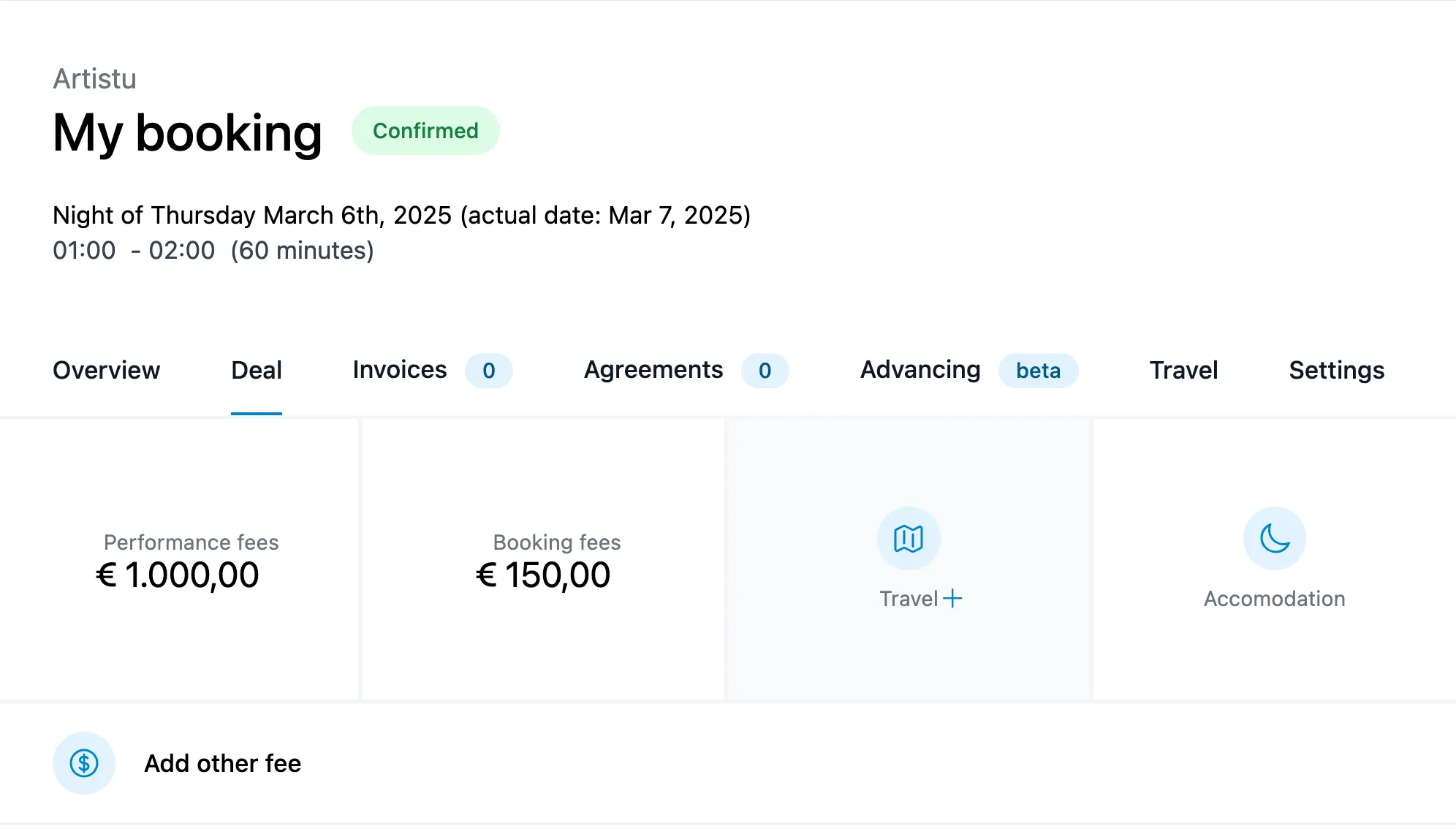
Inclusive booking fee
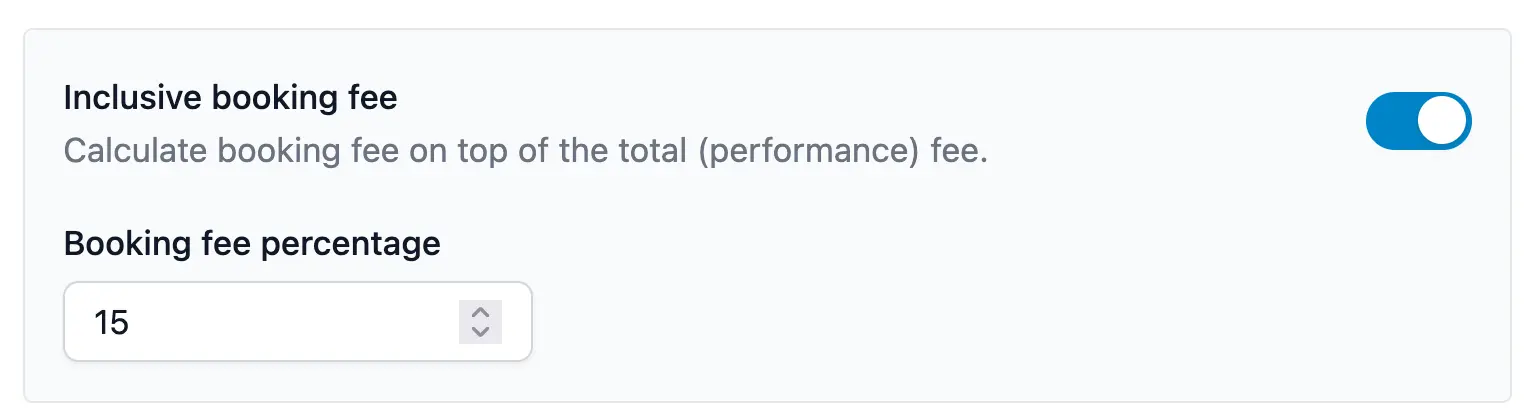
For landed deals, the booking fee is usually inclusive. This means that your customer will pay a single agreed amount which you share between the artist and the agency.
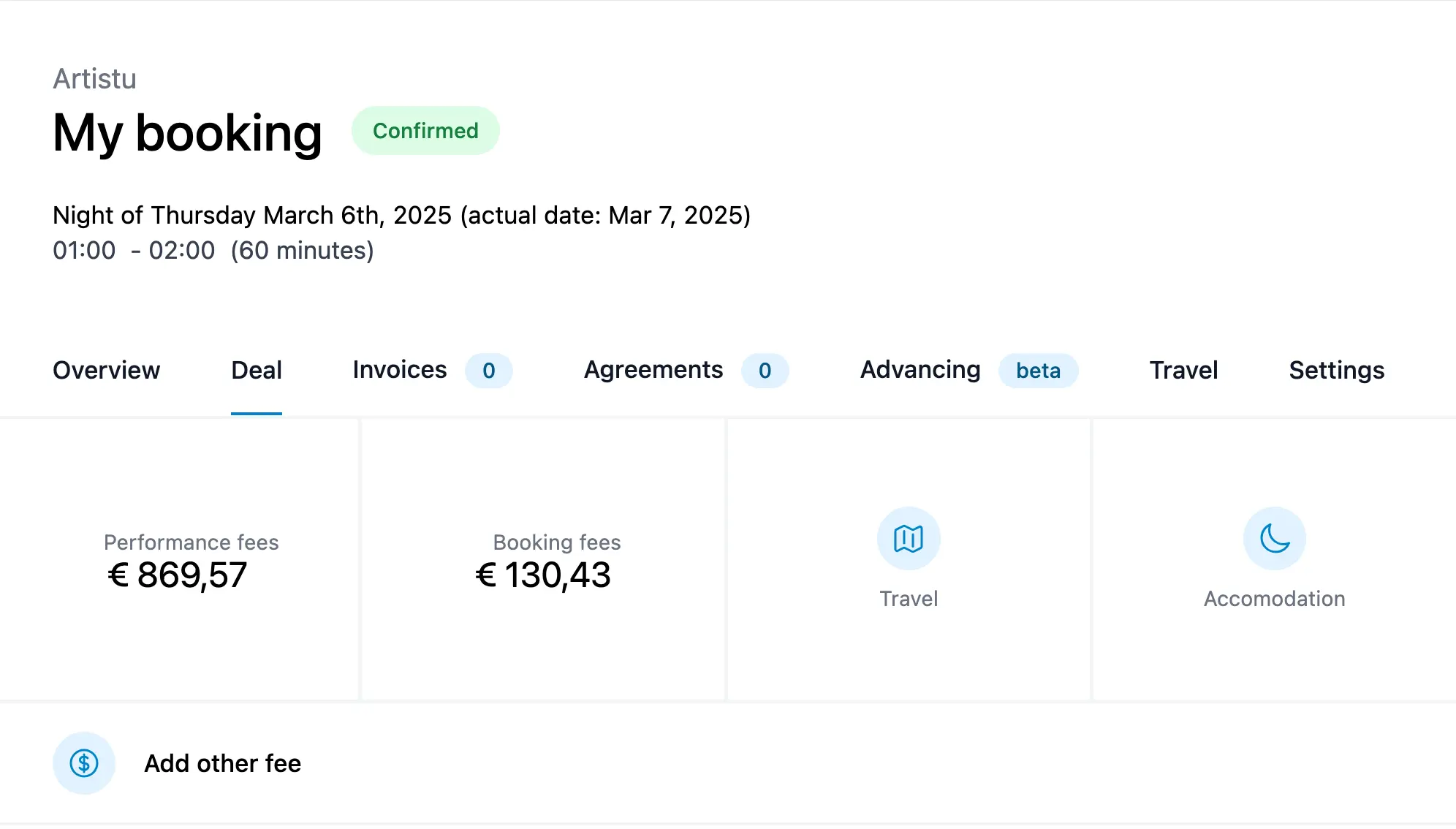
When using this setting Artistu will automatically calculate the amount of booking fee and update the performance fee accordingly.
What that results in is that the performance fee will be updated to reflect the inclusive booking fee.
Additional fees
You can also add additional fees to your booking. These include:
- Travel fees
- Accomodation
- Copyrights
- Crew
- Catering
- Management fees
- Flights costs
- Parking costs
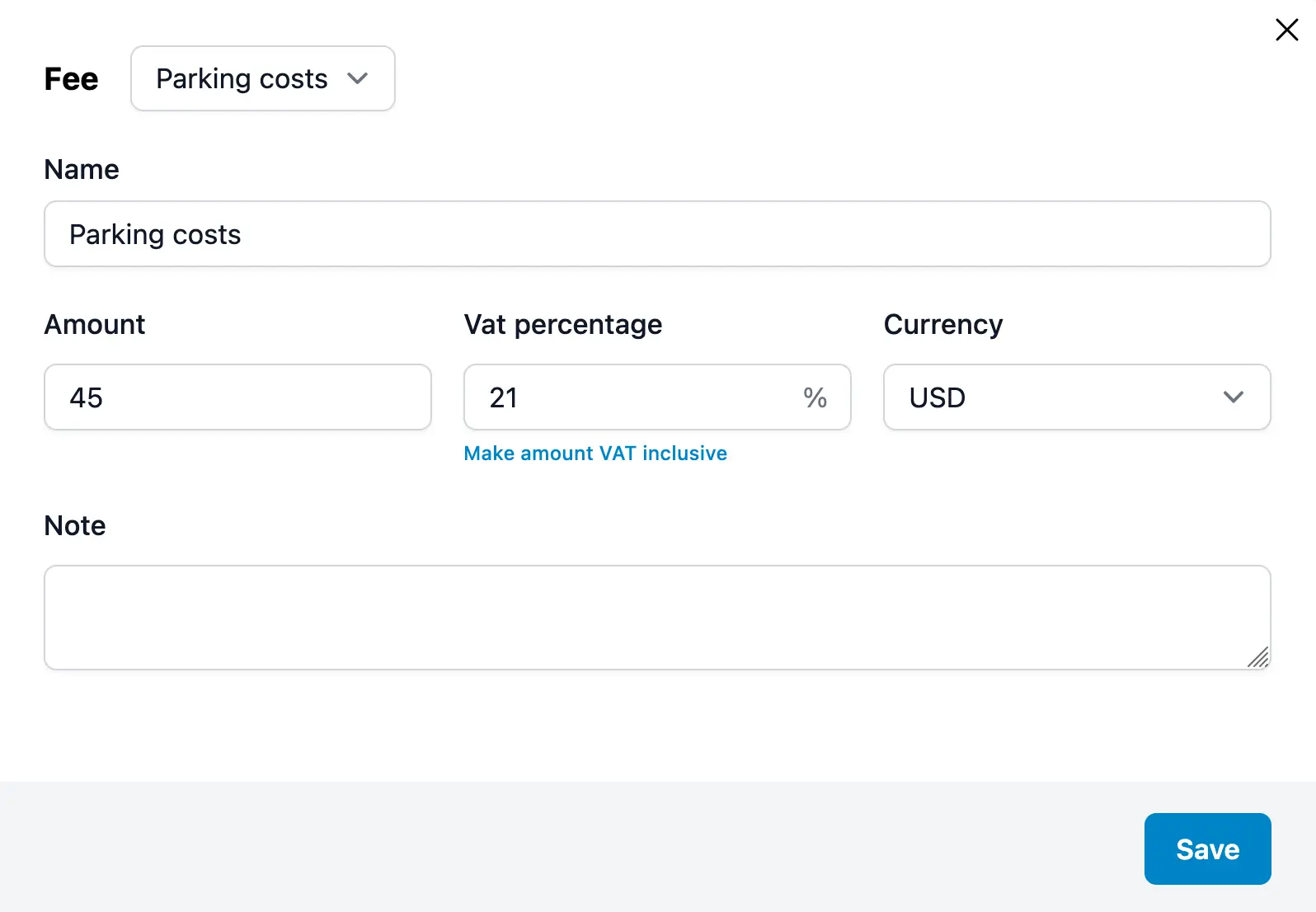
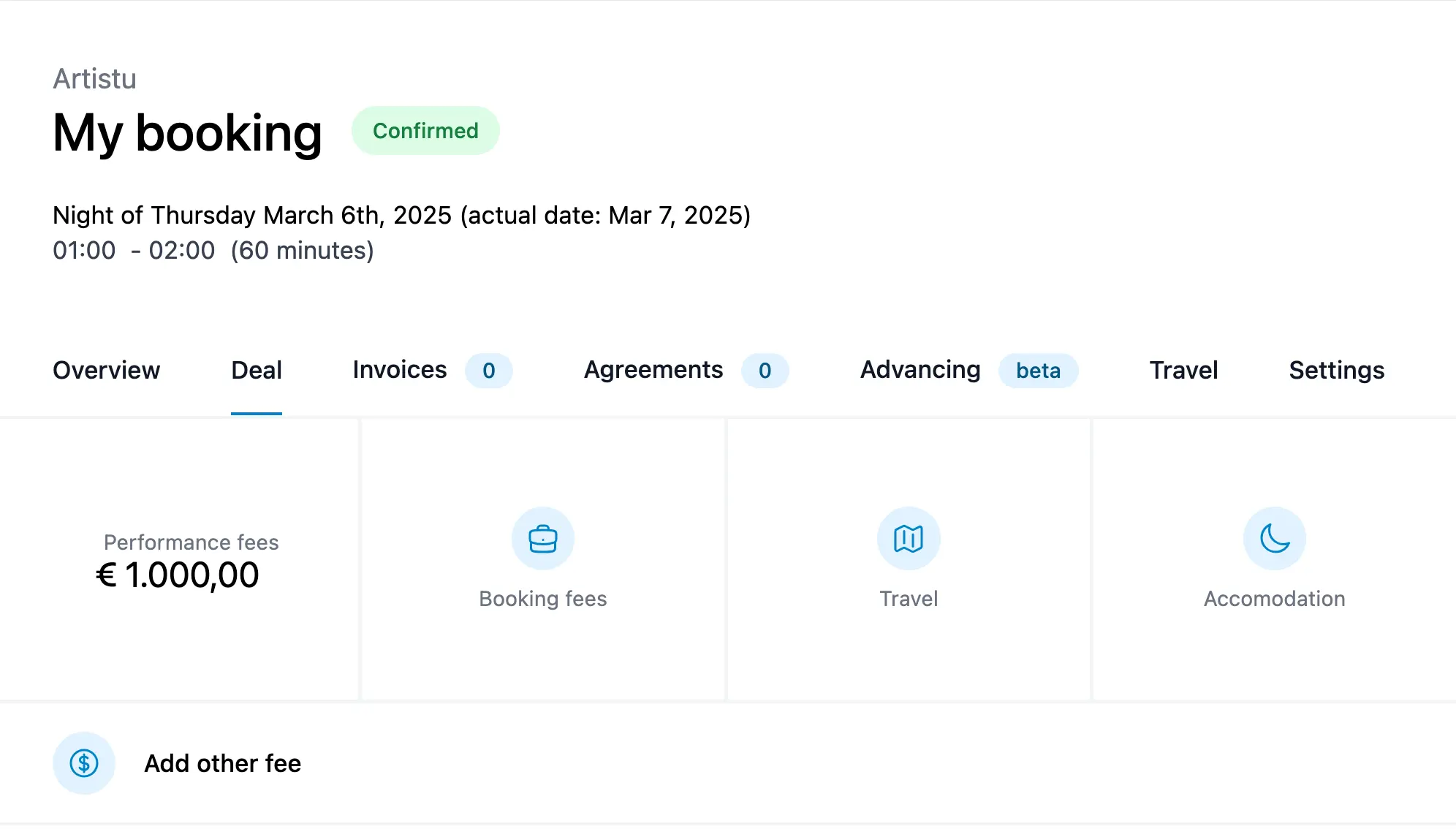
After adding all that your deal section should look like this:
Conclusion
Now that you have setup your booking with the most important information, it is time to start adding contacts, creating invoices and getting that contract signed.