Introduction
Artistu feature overview
In this guide will walk you through the key features of the platform and provide a clear understanding of how to get started with your first bookings.
Platform Overview
Upon logging into Artistu, you are presented with a clean, intuitive interface where you can access every module necessary for managing your operations. The main navigation is located in the left-hand sidebar and includes the following core sections:
Navigation Menu
- Bookings – Manage and monitor all artist bookings.
- Clients – Store and manage all client information.
- Financial – Track financial transactions, invoices, and payments.
- Artists – Maintain artist profiles, availability, and preferences.
- Settings – Configure system preferences and user accounts.
Each section is interconnected to allow for a seamless workflow between your clients, artists, finances, and events.
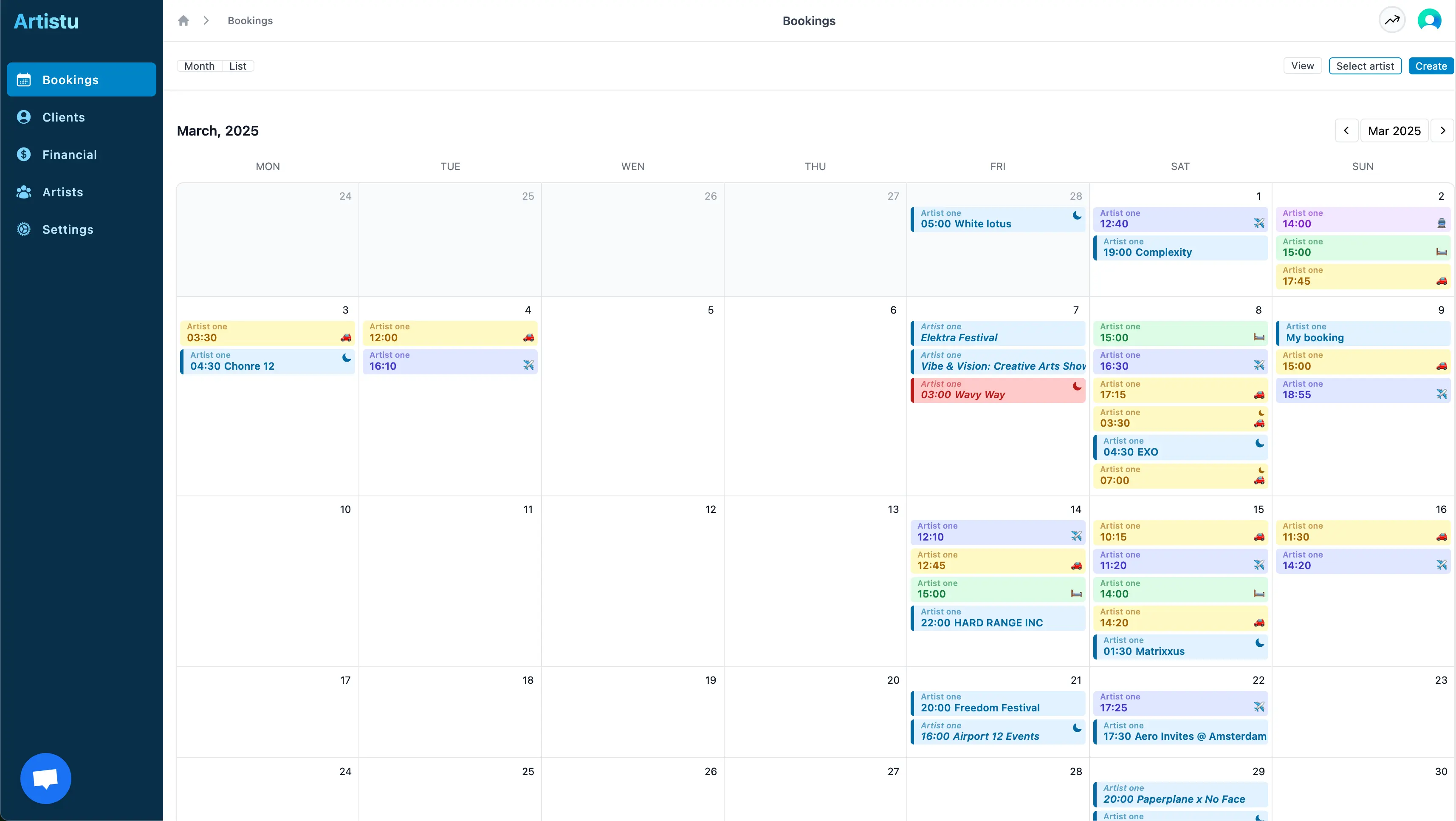
Global calendar
The calendar section is the core of the platform. Every confirmed or pending show is stored here in a structured, easy-to-navigate format.
Bookings list
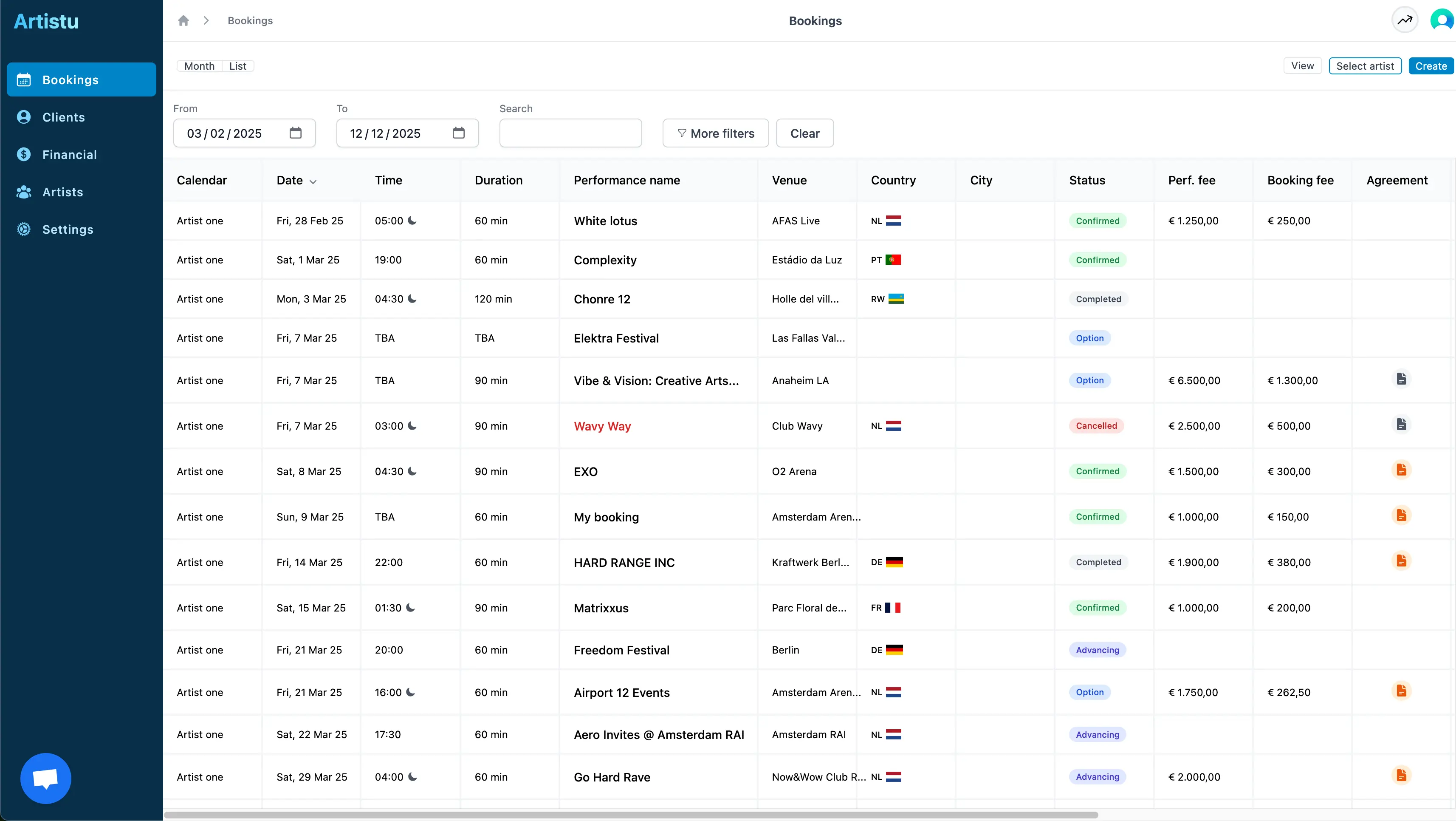
In the bookings list all your upcoming bookings and their important status items are displayed.
Navigate here by clicking on "list" in the calendar overview.
Booking Overview:
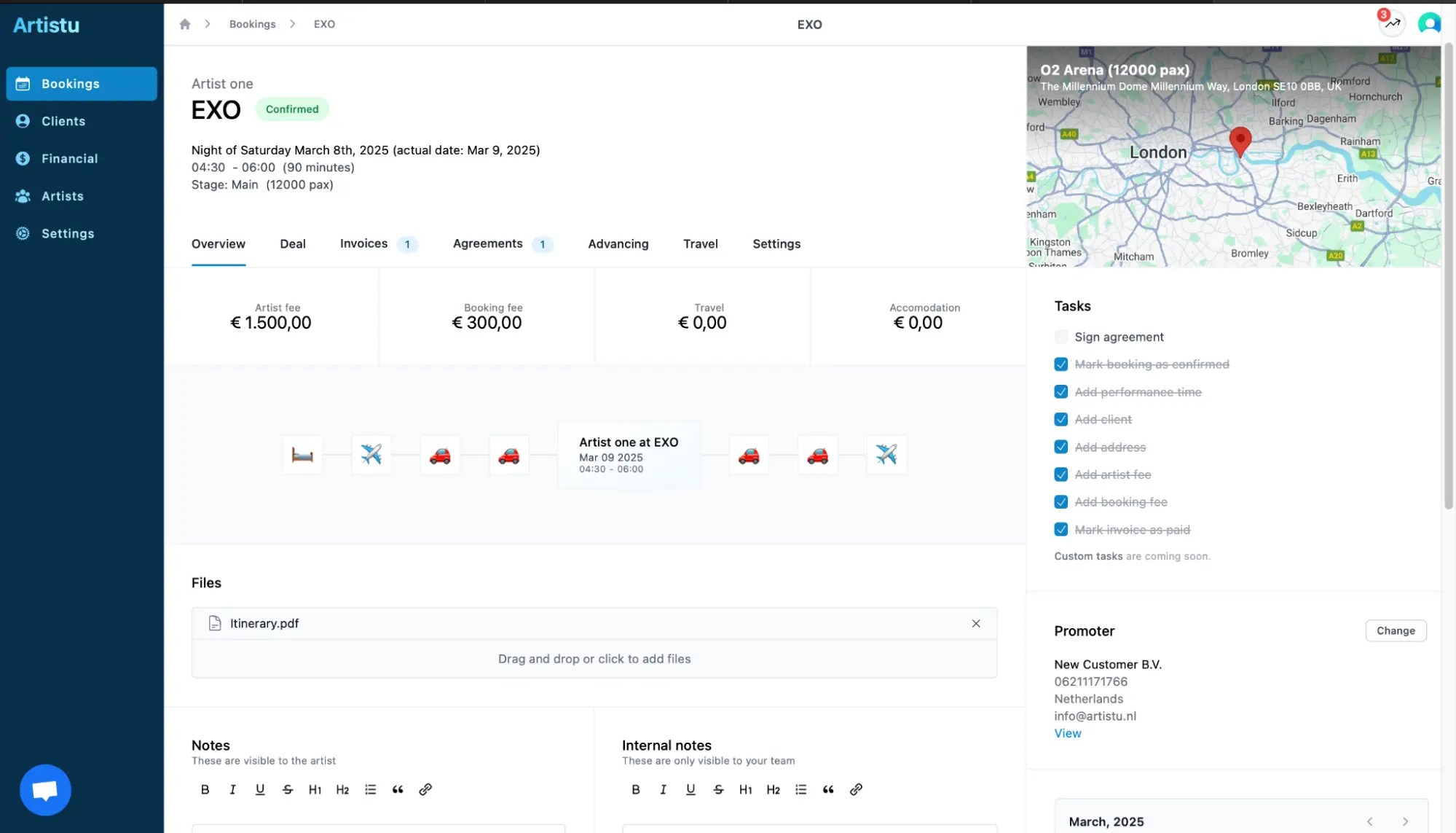
Each booking includes key details such as:
- Artist Name
- Event Name
- Booking Status (e.g., Confirmed)
- Date & Time
- Duration of the Set
- Stage Name & Capacity
- Venue Location (with integrated map)
All relevant data is presented in a single overview, with additional tabs for more in-depth management.
Booking Tabs
- Overview – Summary of essential booking information.
- Deal – Add and manage performance fees, deal terms, and extras.
- Invoices – Upload or generate invoices related to this booking.
- Agreements – Attach artist contracts and legal documentation.
- Advancing – Prepare technical riders, hospitality needs, and show logistics.
- Travel – Input and manage travel arrangements (flights, drivers, hotels).
- Settings – Adjust booking-specific options.
File Management
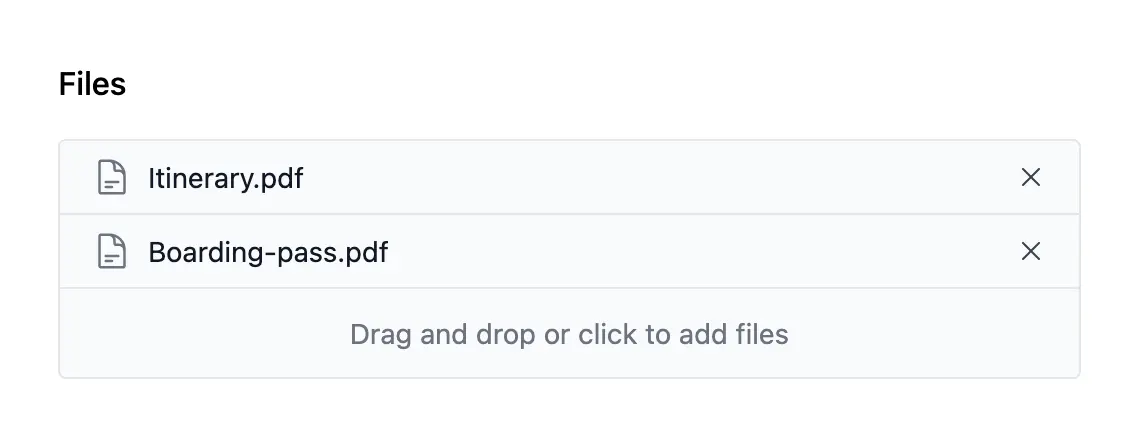
Each booking includes the ability to upload and manage files. These can include:
- Technical riders
- Hospitality documents
- Itineraries
- PDFs, contracts, images, and more
You can drag and drop files into the designated upload section or click to browse your computer. Uploaded files are automatically saved and accessible to relevant team members and in the app.
Notes System
There are two types of notes available within each booking:
- Artist Notes – These are visible to the artist and can include important reminders, preferences, or instructions.
- Internal Notes – Only visible to your internal team. Use this space to coordinate details, raise questions, or store private observations.
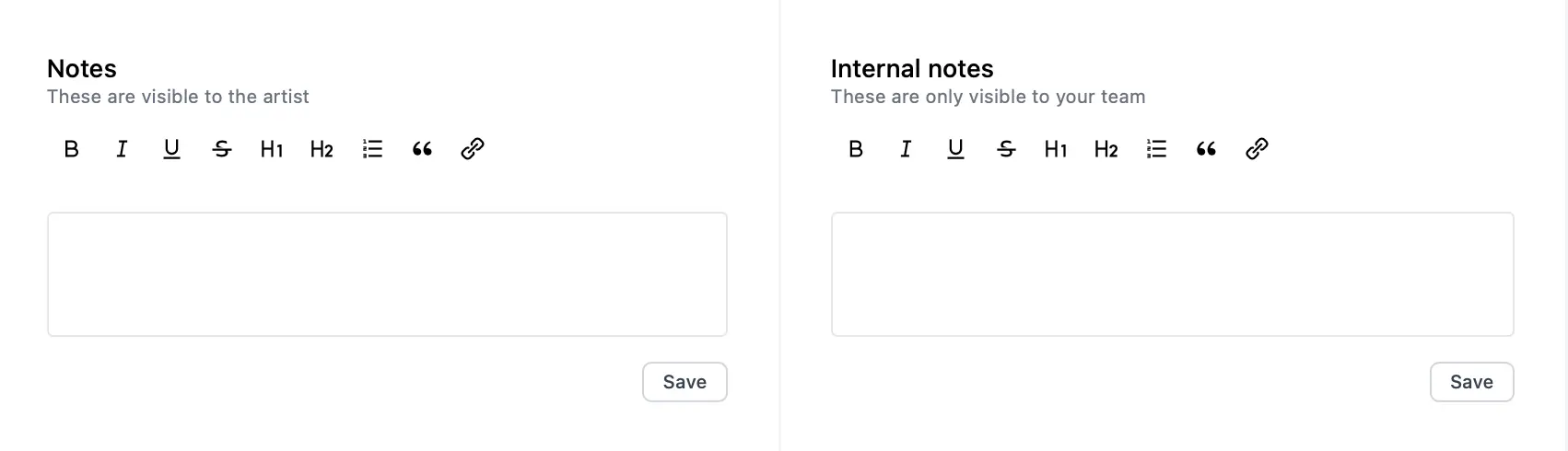
Both types of notes are saved per booking, helping your team stay aligned and organized.
Financial Tracking
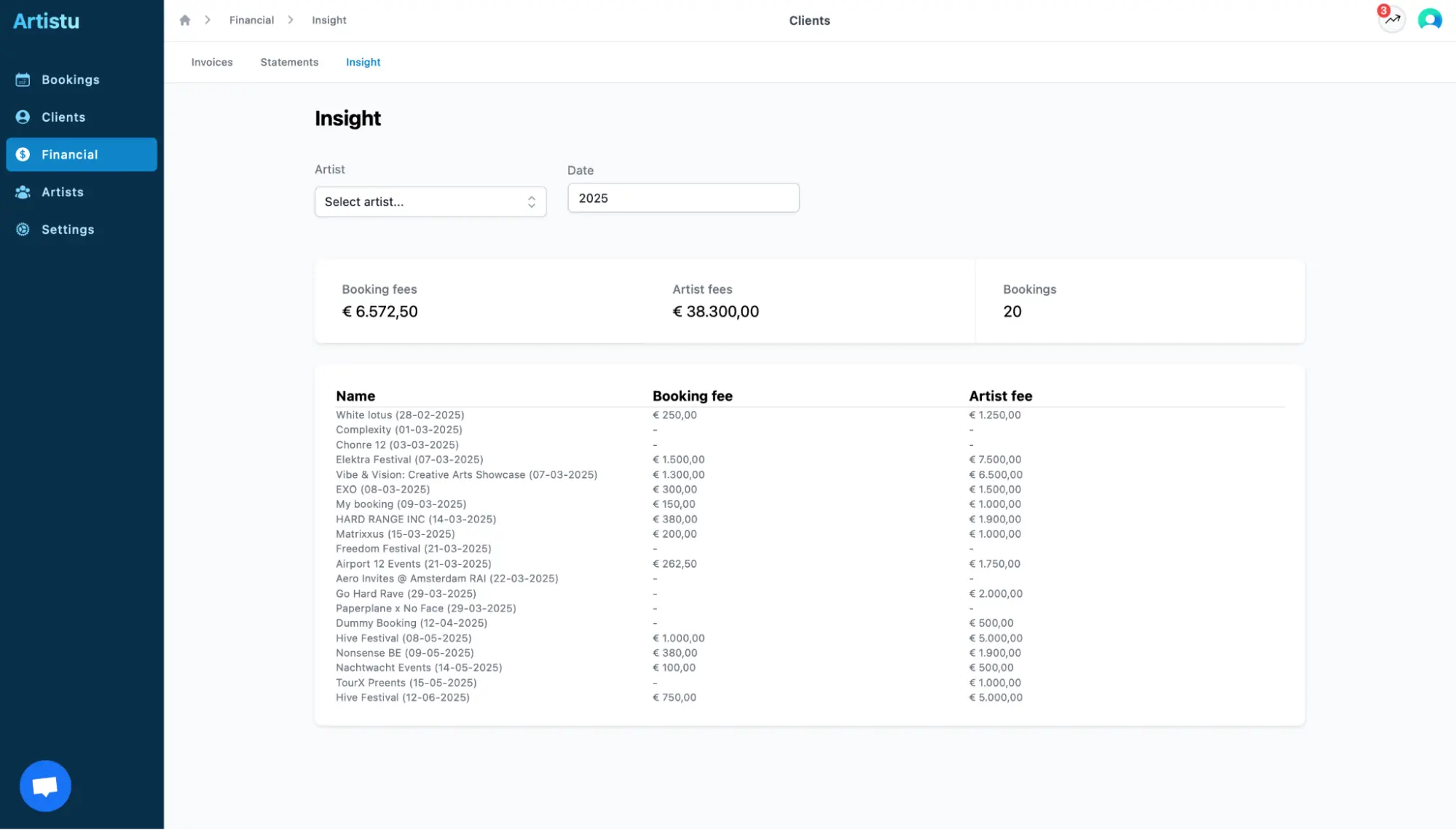
In the overview tab of each booking, you will find a breakdown of the financial components:
- Performance Fees – Amount paid to the artist for their performance.
- Booking Fees – Any agency or administrative fees.
- Travel – Expenses related to flights, transport, and travel days.
- Accommodation – Hotel or housing costs for the artist or crew.
All fields are editable, and totals are clearly displayed for transparency and budgeting.
Tasks and Booking Checklist
Each booking includes a task checklist to ensure every part of the booking is completed. The task list includes:

Completed tasks are automatically checked off, giving your team a clear indication of progress.
Client add-on
Artistu allows you to add all relevant contacts and their information to the system. When creating bookings, client details can be re-used to speed up your workflow.
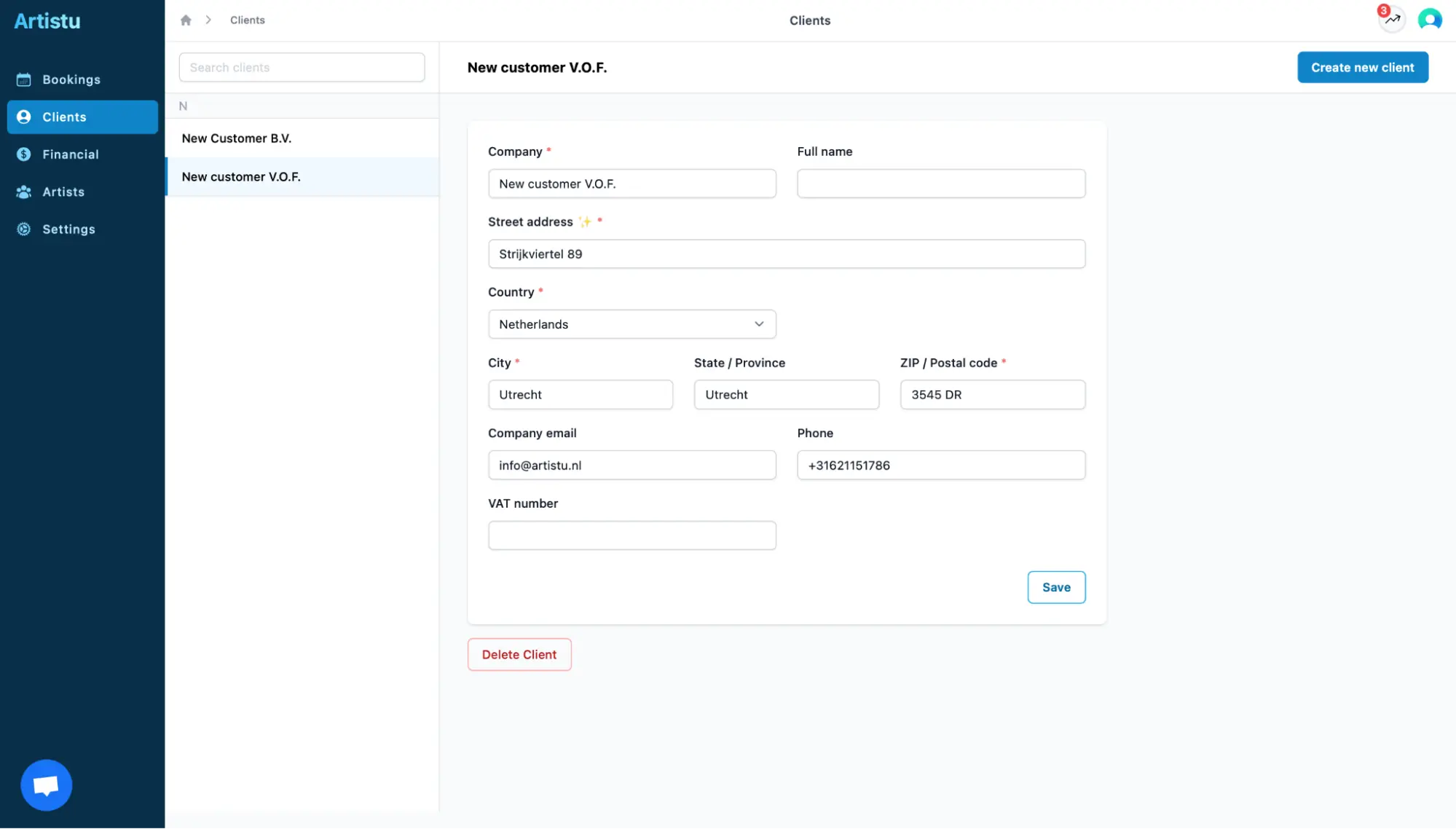
You can easily assign or change the promoter using the dropdown within the booking view.
Integrated Maps and Location Management
Each event includes a visual map showing the venue location. This is especially useful when managing multiple events in different regions or coordinating travel logistics.
Details include:
- City and venue name
- Capacity
- Address on map
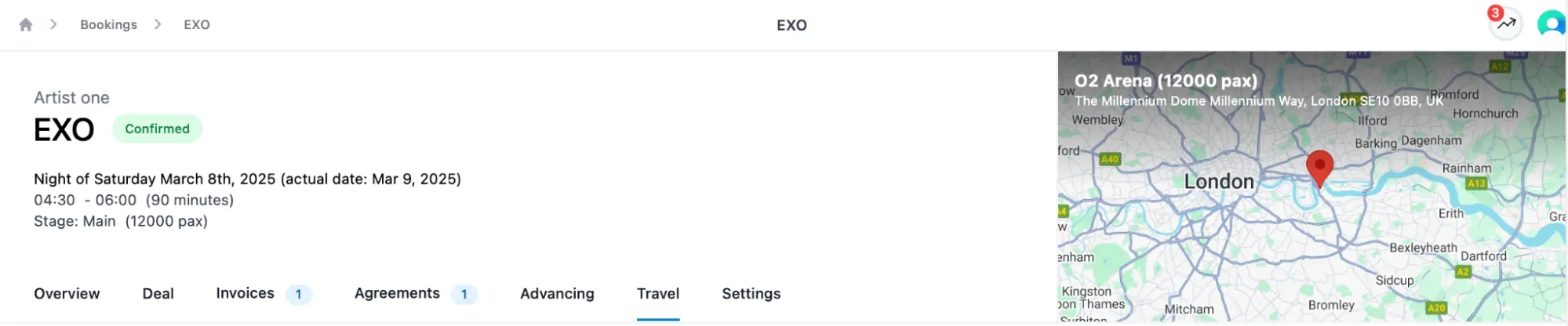
This feature helps both your team and the artist stay informed about event locations and logistical planning.
Artist Profiles
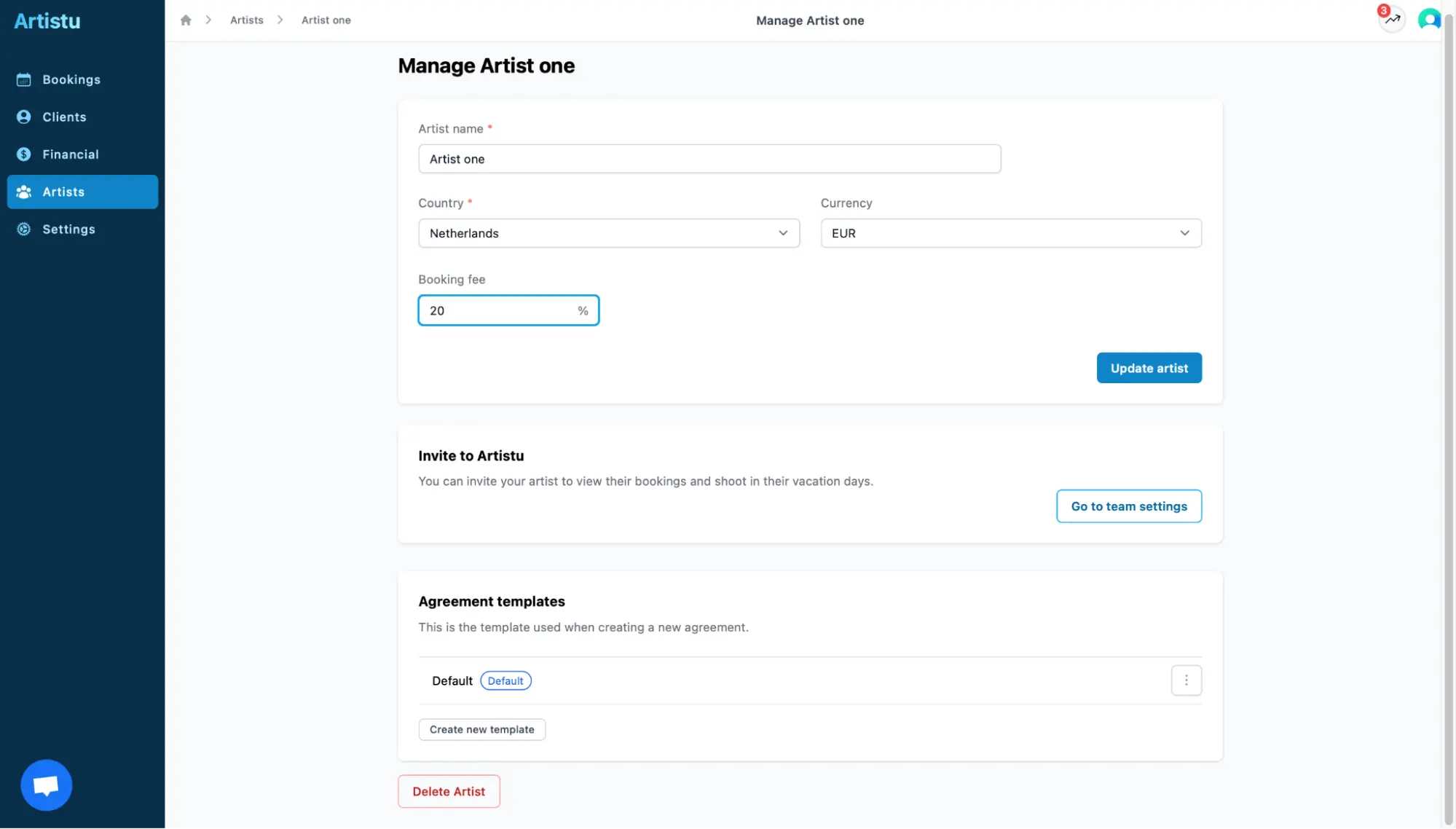
Outside of the individual bookings, Artistu provides modules to manage your artist database.
Artist profiles store agreement templates, currencies and the booking fees per artist.
System Settings
Under the Settings menu, you can manage:
- User roles and permissions
- Organization-wide preferences
- Branding elements
- Billing as one agency or multiple entities
- Notification and communication settings
- Options to import
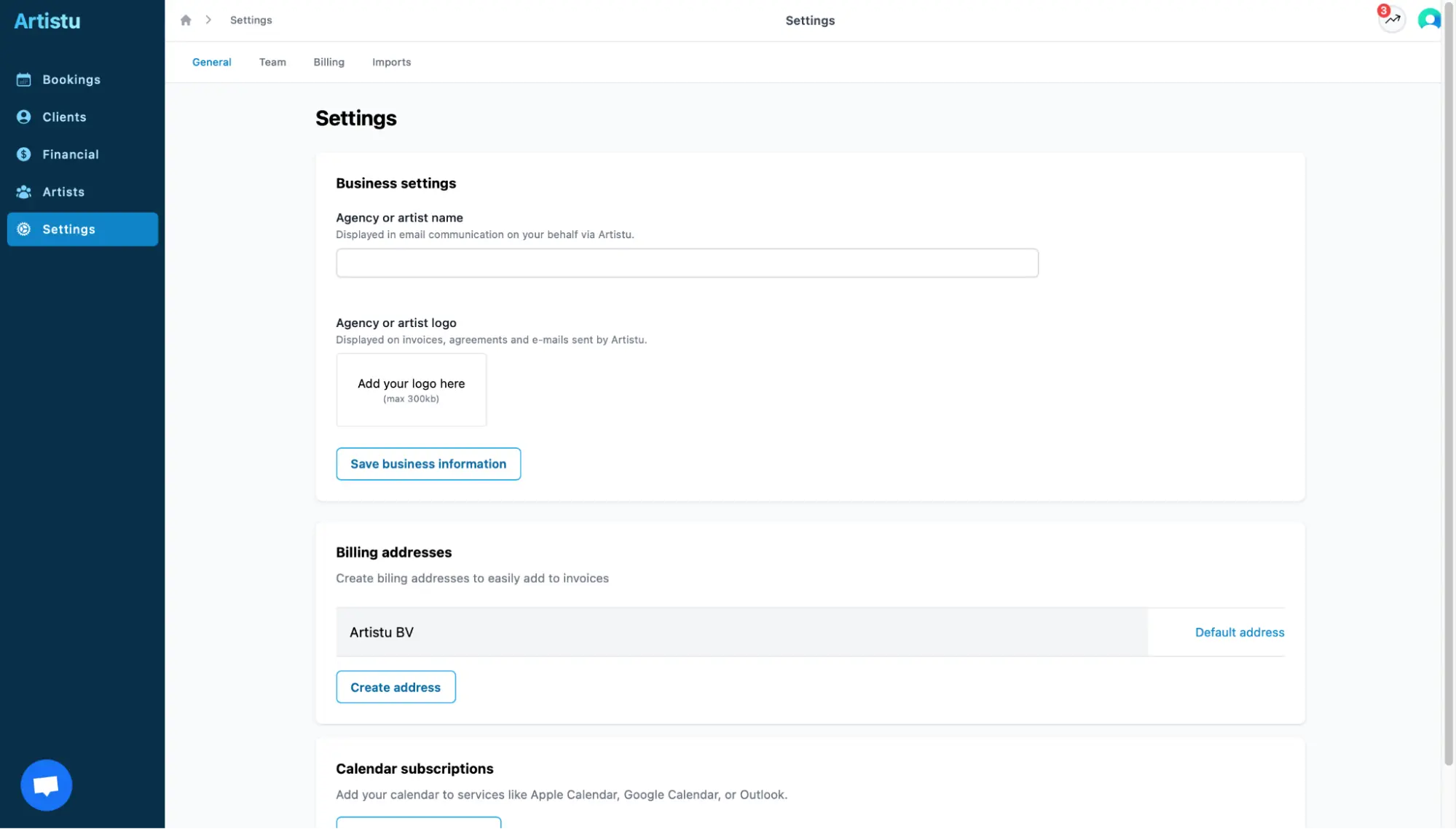
This helps you configure the platform according to your company’s structure and workflow.
Final Remarks
Artistu is designed to centralize and simplify the process of managing bookings from start to finish. With its user-friendly interface and powerful tools, your team can focus on what matters most: building great events and delivering top-tier artist experiences.
Ready to Get Started?
- Add your first artist and client.
- Create a new booking from the Bookings tab.
- Upload your files, define the deal, and assign the team.
- Track your progress with the integrated checklist.
- Keep everything on time, on budget, and on point.
If you need further assistance, our support team is available to guide you every step of the way.